HATT Folio / Desktop product
One template.
Every document.
Turn structured spreadsheet rows into Word documents, using your templates.
Discuss your documents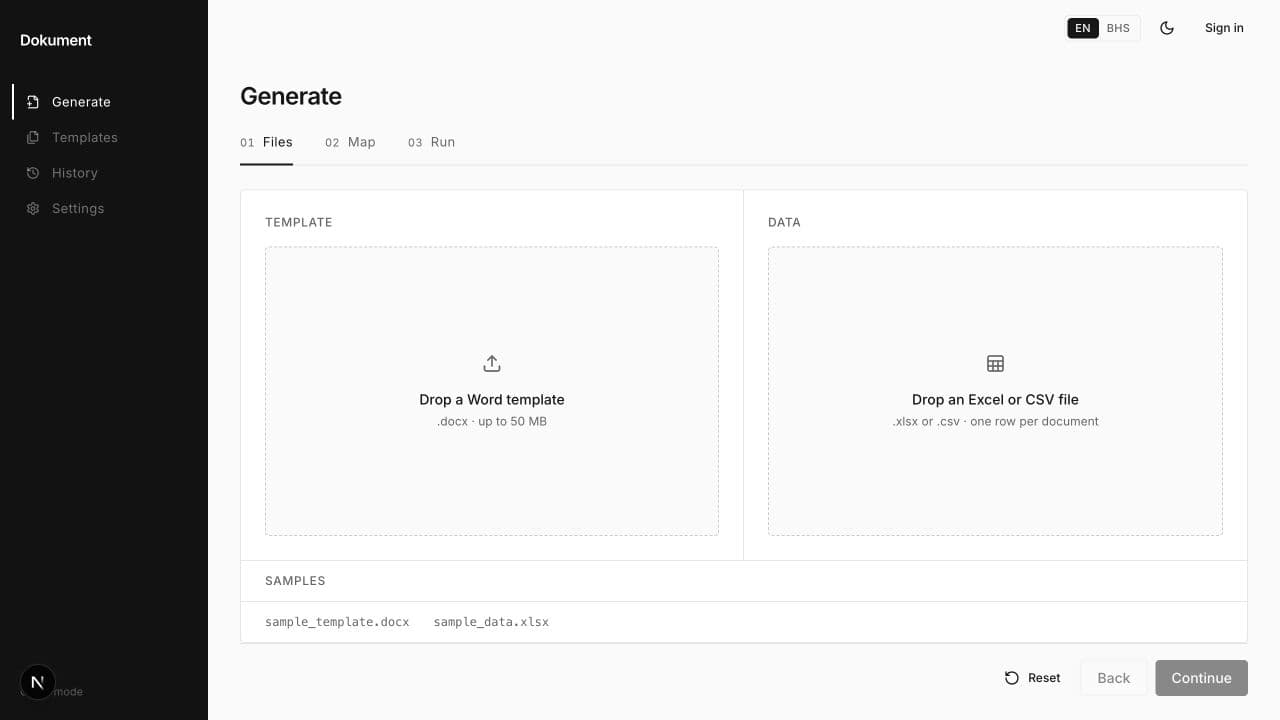
From rows to documents
Keep the structure.
Change the details.
- 01
The template
Start with a Word template for the document you need.
- 02
The data
Use structured spreadsheet rows for the values that change.
- 03
The documents
Generate the Word documents from that shared structure.
Inside the product
One structure. Many documents.
Read the Folio storyBring a document workflow
What do you
create repeatedly?
Tell us about your template, your spreadsheet and the documents you need to produce.
Start a conversationWorkflow in context
Follow the document from input to output
- Input
- A Word template supplies the shared structure. Spreadsheet rows supply the values that change between documents.
- Process
- Load the template and structured data in Folio. Check that the fields in your data match the values the document needs.
- Output and review
- The result is a set of Word documents using that structure. Review a sample document against its source row before using the batch.
The interface shown above is the actual document workflow. This description does not imply support for other output formats.
Read the product story