Folio / Operations / Product story
One structure.
Many documents.
When the format stays the same, the work is in the details that change.
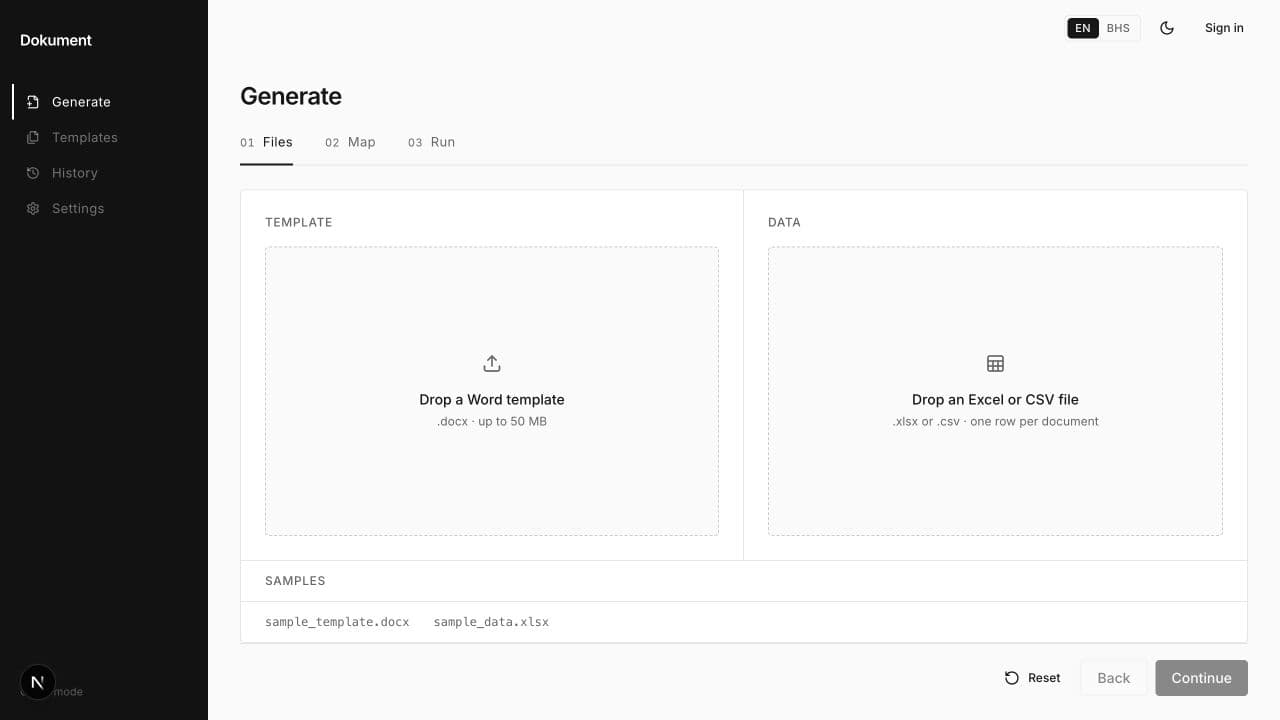
The workflow
Separate the structure
from the information.
Repeated documents share a familiar pattern: a common format, with different values in each instance. Preparing them individually means returning to that same structure again and again.
Folio approaches this as a template-and-data workflow. A Word template defines the document; structured spreadsheet rows supply the changing information.
How the pieces connect
Template → Data → Documents
- 01 / Word template
Define what stays.
The template holds the shared document structure. It is the starting point for documents that follow the same format.
- 02 / Spreadsheet rows
Organise what changes.
Structured rows supply the values that differ between documents, keeping variable information separate from the template.
- 03 / Word documents
Bring them together.
Folio combines the template and the structured data to generate Word documents.
Workflow explanation. This diagram does not represent a product interface or a measured client result.
The product behind the workflow
Meet Folio.
Folio is HATT’s desktop document-generation product. Its focus is Word documents generated from templates and structured spreadsheet data.
A useful first conversation starts with the document you repeat, its template and the information that changes.
From thinking to making